Managing leads sounds kinda simple until you have dozens, or hundreds of them just sitting in different corners, different places. One lead is in your inbox. Another is waiting in a spreadsheet. Meanwhile some person is still waiting for a follow up. And then a promising prospect just… hasn’t heard from your sales team in a week. Not ideal!
That’s basically where a CRM can help, a lot.
A solid CRM for lead management gives your team one place to grab leads, put order around them, watch the conversations, set reminders for follow ups, and quickly understand which opportunities need attention right now.
But like, which CRM is actually worth it? There isn’t one “correct” choice for everyone. HubSpot may feel right for a company that wants an easy start. Zoho can work well if your team is watching the budget closely. Pipedrive is a good match for sales teams that prefer a visual pipeline. Freshsales includes built in communication and AI features, while Salesforce tends to make sense when you need deeper customisation and more complicated processes.
For smaller teams who want lead management plus email outreach, campaigns, and AI assisted replies all in one place, LeadVix is another option you can consider.
What Should a CRM for Lead Management Do?
Before comparing platforms, it helps to know what you are truly paying for, like what’s under the hood.
A good CRM should make your lead management process easier not just add some new chores for your team.
At the very least, take a look at:
- Lead capture and contact management
- A clear sales pipeline
- Lead assignment and status tracking
- Follow-up reminders
- Email integration
- Activity history
- Reporting and analytics
- Automation where it saves time
Some organizations will need more of it, you know. For example, a sales team that is running outbound campaigns might care a lot about email automation and lead activity, while a larger enterprise firm might want advanced routing, access permissions, plus forecasting.
The right choice will vary depending on your team’s work.
1. LeadVix
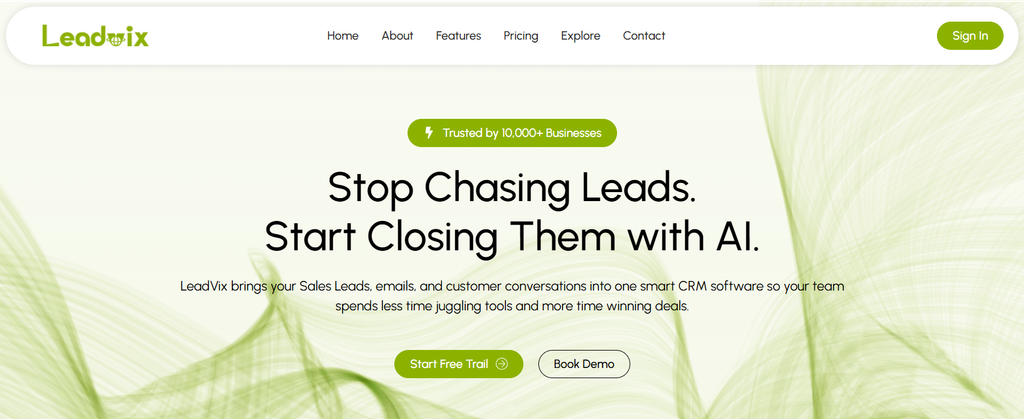
LeadVix is built around lead management and outreach, kind of like a small engine that can help growing businesses move faster.
You can import leads via CSV and then organise them in a more visual Kanban pipeline, with stages like New, In Progress, Positive, Negative, and Deal Closed (it stays easy to see what’s going on).
It also takes care of email campaigns using SendGrid. When a lead replies, its AI can sort out the message, then draft a response from your Knowledge Base. Your team can examine, and approve what gets written before it sends out, unless Auto Send is enabled, then it just goes.
On top of that, the platform logs how campaigns are doing, reply activity, clicks, opens, bounces, plus lead history and team actions, all in one place.
Pros
- Built around lead management and outreach
- Visual Kanban pipeline
- AI-powered email templates and reply handling
- Campaign management by industry
- Lead and campaign activity tracking
- Designed for small and growing teams
Cons
- More geared towards lead outreach than a broad all-purpose CRM
- For businesses that require more sophisticated enterprise CRM customisation, a larger platform might be needed.
Cost
LeadVix currently has three paid plans:
- Starter: $15/month: Up to 3 team members, 1,000 imported leads, and 5 active campaigns
- Growth: $25/month: Up to 5 team members, 5,000 imported leads, and 12 active campaigns
- Enterprise: $50/month: Up to 12 team members, 20,000 imported leads, and up to 30 active campaigns
The core lead pipeline, activity history, analytics, AI-powered email templates, and chat/email support are available in all three plans.
2. HubSpot CRM
HubSpot is one of those more well known options, for companies that want to get rolling with a CRM, without having to pay right away.
Its free CRM, sort of covers the basics pretty well—contact management, deal pipelines, CRM imports, reporting, and other sales tools. On top of that, the free plan is available for up to two users.
Honestly HubSpot starts feeling even more useful once you add marketing, sales, service, and automation features. And thats also, where the pricing can get a bit trickier to line up and compare.
Pros
- Easy to get started
- Free CRM option
- Strong marketing and sales integrations
- Good contact and deal management
- Large ecosystem of connected tools
Cons
- Costs can creep up as you need more advanced features
- Some advanced sales and automation features sit behind higher plans
- The wider platform can feel like too much, for a small business
Cost
Right now HubSpot offers a free CRM. Its Sales Hub Starter pricing starts at $7 per seat per month on the current pricing page, while other HubSpot pricing pages show different promotional or product specific rates, so it’s smart to double check the plan details before you buy anything.
Good for: Companies looking for a CRM they already know, that has a free plan, and has ample room to add more features afterward.
3. Zoho CRM
Zoho CRM is the best choice if you are hunting for a CRM that is affordable and flexible, not too heavy on the budget. It covers lead and contact management, plus workflows, scoring rules, reports dashboards, and a few other sales tools that tend to be useful.
The Standard plan begins around $14 per user per month when you pay annually, so it feels pretty predictable.
And yes, Zoho also has a free edition, for up to three users.
Pros
- Competitive pricing
- Free option for small teams
- Lead scoring and workflow tools
- Lots of customisation
- Wide range of CRM features
Cons
- More setup may be needed than with a very simple CRM
- The number of features can feel overwhelming for first-time CRM users
Cost
Zoho CRM Standard starts at $14/user/month when billed annually. Professional is $23, Enterprise is $40, and Ultimate is $52 per user per month on annual billing.
Best for: Small and growing businesses that want a lot of CRM functionality without paying enterprise-level prices.
4. Pipedrive
Pipedrive takes a different approach, like it really does put the sales pipeline front and centre.
If your team likes moving deals through stages and seeing, exactly what is happening with each opportunity, the visual layout can be a big advantage, you know.
Its Lite plan includes lead , calendar, and pipeline management, plus follow up tracking and more than 500 integrations.
Pros
- Clean visual pipeline
- Easy to see where every deal stands
- Strong sales-focused workflow
- 500+ integrations
- AI-powered reporting on current plans
Cons
- More focused on sales than broader marketing
- Advanced features require higher plans
- No permanent free plan
Cost
Pipedrive’s Lite plan currently starts at $14 per seat per month when billed annually. Growth is $39, and Premium is $59 per seat per month on annual billing. It also offers a 14-day free trial.
Best for: Sales teams that want a simple, visual way to manage leads and deals.
5. Freshsales
Freshsales, from Freshworks sorta bundles CRM abilities with built-in comms tools and yeah it feels pretty seamless.
For the Growth plan it gets you contact lifecycle stages , Kanban views, plus email, chat, phone, message templates , custom fields, and then some basic workflows. The Pro tier then levels things up with contact scoring and deal insights too.
Pros
- Integrated telephone, email and chat capabilities.
- Contact lifecycle management
- Kanban views
- Additional premium features include AI-powered features on higher plans.
- Ideal for sales people who send out messages through various means
Cons
- Advanced features require higher plans
- The large feature set may take some time to configure
Cost
Freshsales has a free plan for up to three users. Its Growth plan starts at $9 per user per month when billed annually, while Pro is $39 and Enterprise is $59 per user per month.
Best for: Teams that want CRM, communication, and sales tools together.
6. Salesforce Sales Cloud
So when your lead management system requirements transcend a straightforward pipeline, and you simply need a bit more breathing room, you’ll certainly be considering Salesforce.
It does lead, account, contact, and opportunity management, plus lead routing, and other more advanced sales stuff too.
That whole flexibility has a trade off though. Salesforce can end up taking more time, more training, and more administration than a smaller team really wants to handle , day to day.
Pros
- Highly customisable
- Strong lead routing
- Built for larger organisations
- Advanced sales and reporting capabilities
- Large ecosystem of integrations
Cons
- Steeper learning curve
- More expensive as requirements grow
- Can be excessive for a small team with basic needs
Cost
Salesforce Starter Suite starts at $25 per user per month, while Pro Suite is $100 per user per month. The higher editions are quite expensive.
Ideal for: Large enterprises with enterprise-level needs, complex lead routing and custom workflows.
Which CRM Is Best for Lead Management?
It depends on what you need from your CRM.
Choose LeadVix: If your priority is managing leads, running outreach campaigns, and using AI to help with email replies and follow-ups.
Choose HubSpot: If you want an easy-to-use CRM with a free starting point and strong marketing connections.
Choose Zoho: If you want a broad set of CRM features at a relatively low price.
Choose Pipedrive: If your team thinks in sales pipelines and wants a clean visual interface.
Choose Freshsales: If built-in communication and contact scoring are important.
Choose Salesforce: If your business has complex processes and needs deep customisation.
What to Check Before Buying a CRM
Price is only one part of the decision, kind of like a smaller piece in the bigger jigsaw. First look at your current lead management setup. Where do those leads come from in the first place? How does your team actually follow up? Who ends up assigning leads to salespeople, and how do you know when a lead is ready for the next phase or step?
After that, see if the CRM can support that whole flow, without making you rework the way your team operates, like completely changing habits.
Then also look past the initial starting price.
A $10 plan might feel cheaper than a $25 plan. But that gap can vanish fast once you factor in users, automation, contacts, or any other required features.
Check:
- User limits
- Contact limits
- Automation features
- Email and calling costs
- Reporting
- Integrations
- AI usage limits
- Upgrade costs
A CRM should fit your business today while leaving enough room to grow.
In conclusion
There is no single universal winner, when it comes to lead management.
Like, the best CRM is usually the one that kinda fits your sales process, your budget , your team size and also the level of automation you actually want not too much, not too little.
For a small business that is mainly managing leads and outreach, LeadVix has a more focused option , it starts at $15/month. HubSpot can be a strong “start” for companies that want a free CRM. Zoho gives you a lot of capabilities for the cost, Pipedrive keeps the sales pipelines simple , Freshsales blends CRM with communication, and Salesforce is more for complicated organizations.
Before you pick any of them, try out the workflow using real leads. When your team can quickly spot who the leads are, what has happened already, and what needs to happen next, then yeah, you are probably looking at the right CRM.
Frequently Asked Questions (FAQs)
Which CRM is best for lead generation?
HubSpot comes across as a decent lead capture tool since it’s a CRM, marketing tools, forms, and lead capture all in one place, not to mention the fact that it’s a free marketing tool. If the team is smaller and really loves the outbound lead generation then another alternative may be LeadVix.
What are the top 3 CRM tools?
On the CRM side, Salesforce, HubSpot, and Zoho CRM are three of the main platforms, each one with its own kind of strong points depending on whether you’re an enterprise outfit, a growing business, or you’re operating with a tight budget.
What is a CRM for leads?
In essence, a leads CRM assists an enterprise catch, arrange, qualify, track, and follow up with potential customers throughout the sales cycle.
What is the #1 CRM in the world?
Salesforce is ranked #1 in the CRM market by share of sales worldwide. IDC said it has a 20.0% share in 2025, so that puts Salesforce as the top CRM provider for the 13th year in a row.